

RobotLegs and Feathers Example
Overview
How to use RobotLegs in Loom with Feathers, including a full port of RobotLegs v1.
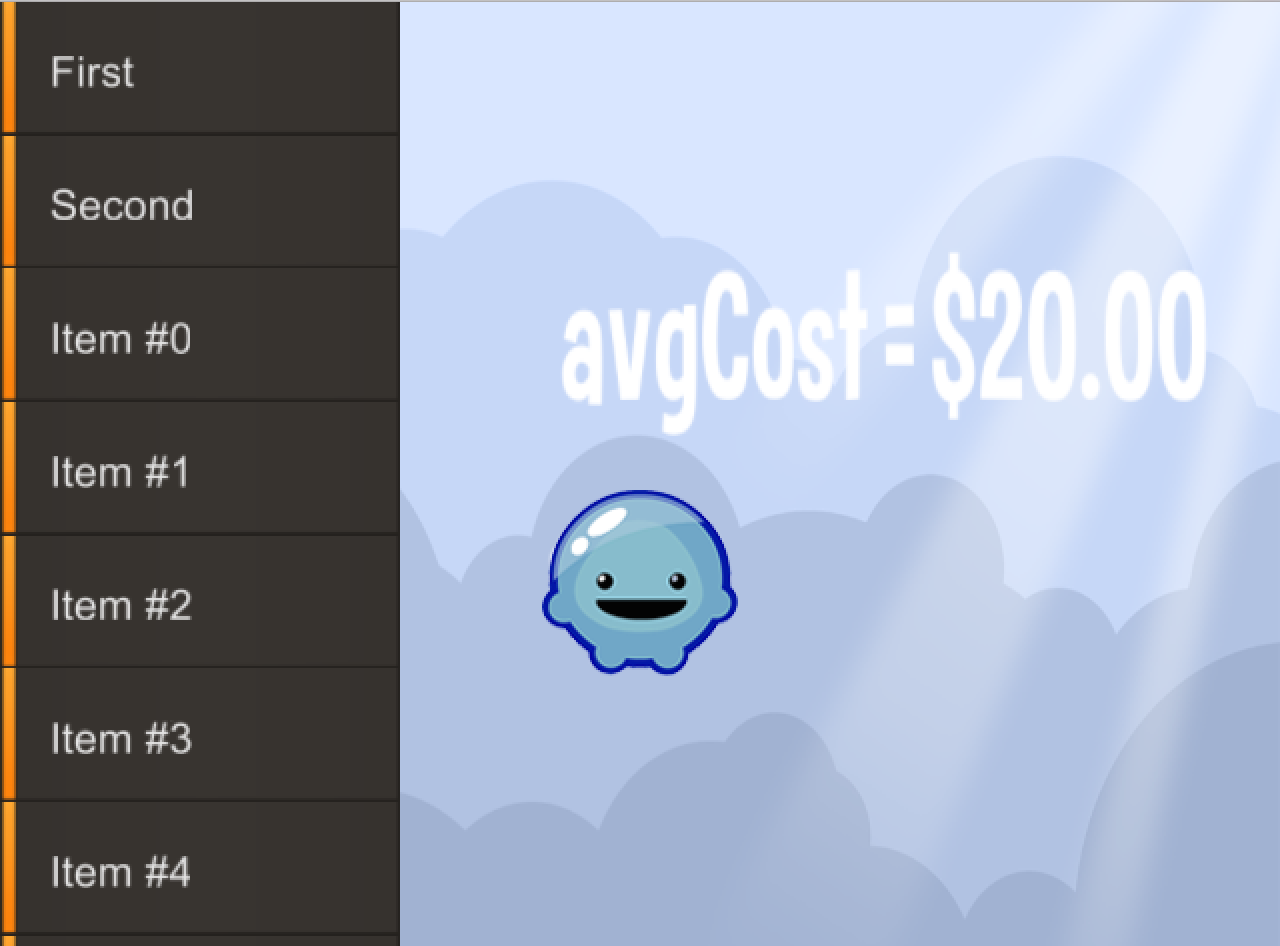
Click the average price text to trigger a refresh of of the Store model, updating the price. The list demonstrates virtual list techniques with Feathers.
RobotLegs is a powerful MVC framework with dependency injection. It scales from small and simple solo projects up to large and complex team efforts. It integrates well with the Loom DisplayList, including Feathers. This example includes a port of RobotLegs to LoomScript.
This example exercises some basic features of RobotLegs. To learn more about RobotLegs, visit http://robotlegs.org/ for more indepth information or post on the Loom SDK forums!.
Try It
Use the following Loom CLI commands to run this example:
loom new MyRobotLegs --example RobotLegs
cd MyRobotLegs
loom run
Screenshot
Code
src/RobotLegs.ls
package
{
    import loom.Application;
    import loom2d.display.StageScaleMode;
    import loom2d.display.Image;
    import loom2d.display.Sprite;
    import loom2d.display.DisplayObjectContainer;
    import loom2d.events.EventDispatcher;
    import loom2d.textures.Texture;
    import loom2d.ui.SimpleLabel;

    import org.robotlegs.mvcs.Context;
    import org.robotlegs.mvcs.Actor;
    import org.robotlegs.mvcs.Command;
    import org.robotlegs.mvcs.Mediator;
    import org.robotlegs.base.ContextEvent;

    import loom2d.events.TouchPhase;
    import loom2d.events.Touch;
    import loom2d.events.Event;
    import loom2d.events.TouchEvent;

    import feathers.controls.List;
    import feathers.controls.renderers.DefaultListItemRenderer;
    import feathers.controls.renderers.IListItemRenderer;
    import feathers.data.ListCollection;

    import feathers.themes.MetalWorksMobileTheme;

    import loom2d.textures.Texture;
    import loom2d.text.BitmapFont;
    import loom2d.text.TextField;

    /**
     * Simple example view that shows off a list driven with virtual items as
     * well as featuring a label you can click on to refresh data from a manager.
     */
    public class MyView extends Sprite
    {
        public var label:SimpleLabel;

        public var storeList:List;

        public static const CLICK_REFRESH = "click.refresh";

        public function initialize():void
        {
            var sprite = new Image(Texture.fromAsset("assets/logo.png"));
            sprite.center();
            sprite.x = stage.stageWidth / 2;
            sprite.y = stage.stageHeight / 2 + 50;
            addChild(sprite);

            label = new SimpleLabel("assets/Curse-hd.fnt");
            label.text = "Hello View!";
            label.x = stage.stageWidth - 200;
            label.width = 200;
            label.y = stage.stageHeight / 2 - 100;
            label.addEventListener(TouchEvent.TOUCH, onClick);
            addChild(label);

            storeList = new List();
            storeList.dataProvider = new ListCollection(
                [
                {text: "First"},
                {text: "Second"}
                ]);

            // Try making this 10000 to see how much virtual lists can help.
            for(var i=0; i<100; i++)
            {
                (storeList.dataProvider as ListCollection).push({text: "Item #" + i});
            }

            storeList.itemRendererFactory = function ():IListItemRenderer
             {
                 var renderer:DefaultListItemRenderer = new DefaultListItemRenderer();
                 renderer.labelField = "text";
                 renderer.iconSourceField = "thumbnail";
                 return renderer;
             };
            storeList.width = 200;
            storeList.height = stage.stageHeight;
            addChild(storeList);
        }

        protected function onClick(e:TouchEvent):void
        {
            var t = e.getTouch(label, TouchPhase.BEGAN);
            if(t)
                dispatchEventWith(CLICK_REFRESH);
        }
    }

    /**
     * The mediator that goes with MyView; it handles business logic related
     * to the view.
     */
    public class MyViewMediator extends Mediator
    {
        // Demonstration of injection on a property.
        private var _view:MyView = null;

        [Inject]
        public function set view(v:MyView)
        {
            _view = v;
        }

        public function get view():MyView
        {
            return _view;
        }

        // Get the StoreManager, we'll need it!
        [Inject]
        public var stores:StoreManager;

        // Called after we're paired with a view.
        public override function onRegister():void
        {
            trace("I'm a mediator associated with view " + view);
            view.initialize();

            // Listen for updates from the StoreManager and update our UI
            // when it happens.
            stores.addEventListener(StoreManager.UPDATE_EVENT, updateUi);

            // If the view dispatches a click event, do something.
            view.addEventListener(MyView.CLICK_REFRESH, triggerUpdate);

            // Make sure the UI starts in a good state.
            updateUi();
        }

        /**
         * Called when the view reports a click; we want to trigger a
         * an update. We could pass more data to the command
         * by using a subclass of Event and letting the command inject it.
         */
        protected function triggerUpdate():void
        {
            dispatch(new Event(HandleRefreshCommand.NAME));
        }

        protected function updateUi():void
        {
            view.label.text = "avgCost = $" + stores.list[0].avgCost.toFixed(2);
            view.label.center();
        }
    }

    /**
     * Startup command. This is responsible for setting up the initial state
     * of the app. It could fire other commands, load resources, etc. In our
     * case we just add our single view to the stage.
     */
    public class HandleStartupCommand extends Command
    {
        /**
         * Commands are triggered by events and they are available by injection.
         */
        [Inject]
        public var event:ContextEvent;

        override public function execute():void
        {
            trace("Starting up! " + contextView + " " + event);
            contextView.addChild(new MyView());
        }
    }

    /**
     * Command called when the application wants a refresh; it causes the
     * StoreManager to refresh its data.
     */
    public class HandleRefreshCommand extends Command
    {
        public static const NAME = "refresh";

        [Inject]
        public var stores:StoreManager;

        override public function execute():void
        {
            stores.refresh();
        }
    }

    /**
     * The Context is responsible for setting up the execution environment for
     * the application. Different Contexts can bring together existing code in
     * new ways for various situations.
     */
    public class StoreAppContext extends Context
    {
        public function StoreAppContext(c:DisplayObjectContainer)
        {
            super(c);
        }

        override public function startup():void
        {
            trace("Beginning StoreAppContext execution.");

            // Map commands to various events that can fire in our system.
            commandMap.mapEvent(ContextEvent.STARTUP_COMPLETE, HandleStartupCommand, ContextEvent);
            commandMap.mapEvent(HandleRefreshCommand.NAME, HandleRefreshCommand);

            // Set up the view map, registering types that represent views and
            // require special treatment.
            viewMap.mapType(MyView);

            // And the mediator map, indicating what mediators map to what
            // views.
            mediatorMap.mapView(MyView, MyViewMediator);

            // Set up our store manager for injection (as a singleton).
            injector.mapValue(StoreManager, new StoreManager());

            // Parent class logic.
            super.startup();

            // All done!
            trace("Finish Context execution.");

            // Give some instructions.
            trace("");
            trace("Click the average cost to update the manager and have the UI");
            trace("update itself. The list demonstrates a virtual list with a large");
            trace("number of items but low overhead.");
        }
    }

    /**
     * A Value Object describing a store.
     *
     * This is just data describing a store. It's meant to be simple and
     * self-contained - other classes act on it but it does very little
     * by itself.
     */
    public class StoreVO
    {
        public var name:String;
        public var avgCost:Number;
        public var location:String;
    }

    /**
     * Manage the VOs for known stores. Includes mock data.
     *
     * In real life this manager would work with an HTTP service layer
     * to get data from a web service, but we want a simple demo that
     * is self contained.
     */
    public class StoreManager extends EventDispatcher
    {
        public static const UPDATE_EVENT = "update";

        protected var _list:Vector.<StoreVO>;

        /**
         * Accessor to get the list of stores.
         */
        public function get list():Vector.<StoreVO>
        {
            if(!_list)
                initializeList();
            return _list;
        }

        protected function initializeList():void
        {
            var itemA = new StoreVO();
            itemA.name = "Bob's Store";
            itemA.avgCost = 20.00;
            itemA.location = "Bobtown";

            var itemB = new StoreVO();
            itemB.name = "Steve's Store";
            itemB.avgCost = 29.00;
            itemB.location = "Bobtown";

            var itemC = new StoreVO();
            itemC.name = "Tom's Store";
            itemC.avgCost = 200.00;
            itemC.location = "Bobtown";

            var itemD = new StoreVO();
            itemD.name = "Your Mom's Store";
            itemD.avgCost = 5.00;
            itemD.location = "Bobtown";

            _list = [itemA, itemB, itemC, itemD];
        }

        /**
         * Simulate new data coming in.
         */
        public function refresh():void
        {
            // Generate new random prices.
            var l = list;
            for(var i=0; i<l.length; i++)
            {
                l[i].avgCost = Math.random() * 100 + 50;
            }

            // We fire a simple event to let others update.
            dispatchEventWith(StoreManager.UPDATE_EVENT);
        }
    }

    /**
     * Main test app.
     *
     * This sets up Feathers, loads a background, and initializes execution of
     * our RobotLegs context.
     */
    public class RobotLegs extends Application
    {
        public var context:StoreAppContext;

        override public function run():void
        {
            // Comment out this line to turn off automatic scaling.
            stage.scaleMode = StageScaleMode.LETTERBOX;

            // TODO: The visual init here could be made its own command.

            // Initialize Feathers with font and theme data.
            TextField.registerBitmapFont( BitmapFont.load( "assets/arialComplete.fnt" ), "SourceSansPro" );
            TextField.registerBitmapFont( BitmapFont.load( "assets/arialComplete.fnt" ), "SourceSansProSemibold" );
            new MetalWorksMobileTheme();

            // Set up a simple background.
            var bg = new Image(Texture.fromAsset("assets/bg.png"));
            bg.width = stage.stageWidth;
            bg.height = stage.stageHeight;
            stage.addChild(bg);

            // Let RobotLegs go!
            trace("Starting StoreAppContext");
            context = new StoreAppContext(stage);
            context.startup();
        }
    }
}