

MovieClip Example
Overview
Basic usage of the Loom2D MovieClip class.
Try It
Use the following Loom CLI commands to run this example:
loom new MyMovieClipExample --example MovieClipExample
cd MyMovieClipExample
loom run
Screenshot
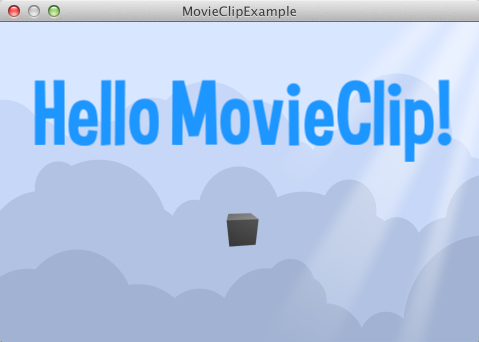
Code
src/MovieClipExample.ls
package
{
    import loom.Application;
    import loom2d.Loom2D;
    import loom2d.display.StageScaleMode;
    import loom2d.display.Image;
    import loom2d.display.MovieClip;
    import loom2d.textures.Texture;
    import loom2d.ui.SimpleLabel;
    import loom2d.math.Rectangle;
    import loom2d.math.Point;

    public class MovieClipExample extends Application
    {
        override public function run():void
        {
            // Comment out this line to turn off automatic scaling.
            stage.scaleMode = StageScaleMode.LETTERBOX;

            // Setup anything else, like UI, or game objects.
            var bg = new Image(Texture.fromAsset("assets/bg.png"));
            bg.width = stage.stageWidth;
            bg.height = stage.stageHeight;
            stage.addChild(bg);

            var clip = MovieClip.fromSpritesheet("assets/spritesheet.png", 60, 60, 30, 5, 12, Loom2D.juggler);
            clip.play();
            clip.center();
            clip.x = stage.stageWidth / 2;
            clip.y = stage.stageHeight / 2 + 50;
            stage.addChild(clip);

            var label = new SimpleLabel("assets/Curse-hd.fnt");
            label.text = "Hello MovieClip!";
            label.center();
            label.x = stage.stageWidth / 2;
            label.y = stage.stageHeight / 2 - 100;
            stage.addChild(label);

        }
    }
}