

Location Example
Overview
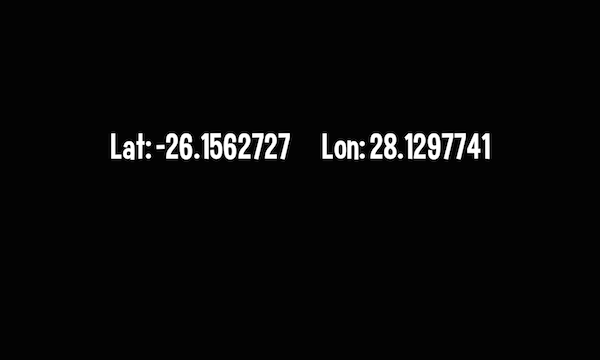
Simple example which can be used to display the current Location (as Latitude and Longitude) of the Mobile. device
Try It
Use the following Loom CLI commands to run this example:
loom new MyLocationExample --example LocationExample
cd MyLocationExample
loom run
Screenshot
Code
src/LocationExample.ls
package
{

    import loom.Application;
    import loom.platform.Mobile;
    import loom.platform.Timer;

    import loom2d.math.Point;
    import loom2d.display.StageScaleMode;
    import loom2d.ui.SimpleLabel;

    /**
     *  An example which makes a simple Location request
     */
    public class LocationExample extends Application
    {
        var locLabel:SimpleLabel;

        override public function run():void
        {
            // setup the GUI
            stage.scaleMode = StageScaleMode.LETTERBOX;

            locLabel = new SimpleLabel("assets/fonts/Curse-hd.fnt");
            locLabel.text = "No Location Found...";
            locLabel.x = stage.stageWidth/2 - locLabel.width/4;
            locLabel.y = stage.stageHeight/3;
            locLabel.scale = 0.35;
            stage.addChild(locLabel);

            //start the location tracking to update only after at least 1 meter of momement,
            //or 1/2 second of time (Android only)
            Mobile.startLocationTracking(1, 500);

            //set up timer to update the location every 200 milliseconds
            var timer:Timer = new Timer(200, 0);
            timer.onComplete = onLocationUpdate;
            timer.start();
        }


        //timer called to update the Location
        private function onLocationUpdate(timer:Timer):void
        {
            //NOTE: If you are inside, you may not get valid / updated Location data from the GPS!!!
            var locString:String = Mobile.getLocation();
            if(String.isNullOrEmpty(locString))
            {
                locLabel.text = "No Location Found...";
            }
            else
            {
                var loc:Vector.<String> = locString.split(" ");
                locLabel.text = "Lat: " + loc[0] + "        Lon: " + loc[1];
            }
            locLabel.x = stage.stageWidth/2 - locLabel.width/2;
        }
    }
}