

Custom URL Scheme Example
Overview
A simple example showing how you can launch your application on iOS or Android from a web browser with your own custom URL Scheme.
Inside of loom.config there is a property called 'custom_url_scheme'. You can change this to whatever you wish, so long as you make it unique enough that no other mobile application could be using it, or it could conflict with someone else's URL scheme.
This also allows you to pass in Query data along with the URL in a format such as: 'playmygame://?key=data&key2=data2'
To run this example, you must first deploy it to a mobile device. Once there, you must send your Custom URL Scheme to a web browser on the device which will then launch the example automatically. If you specify a value for 'key', such as 'playmygame://?key=LoomRocks', the app will pick that up and display it for you.
Try It
Use the following Loom CLI commands to run this example:
loom new MyCustomURLSchemeExample --example CustomURLSchemeExample
cd MyCustomURLSchemeExample
loom run
Screenshots
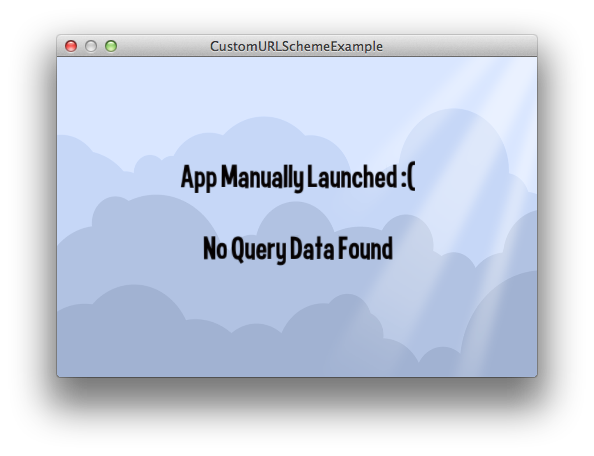
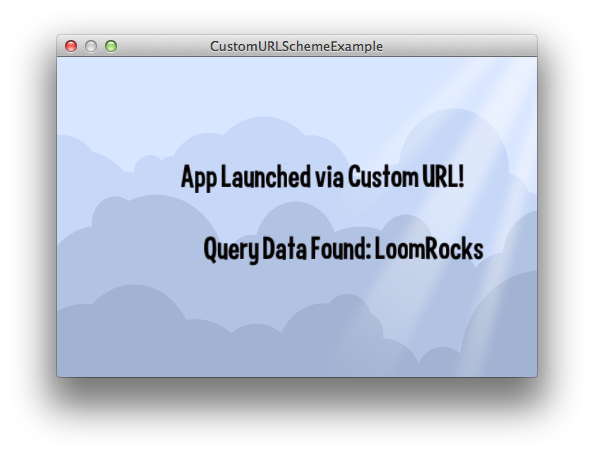
Code
src/CustomURLSchemeExample.ls
package
{
    import loom.Application;
    import loom.platform.Mobile;
    import loom2d.display.StageScaleMode;
    import loom2d.display.Image;
    import loom2d.textures.Texture;
    import loom2d.ui.SimpleLabel;


    /*
     * A simple example showing how you can launch your application on
     * iOS or Android from a web browser with your own custom URL Scheme
    */
    public class CustomURLSchemeExample extends Application
    {
        private const URLDataKey = "key";

        private var statusLabel:SimpleLabel;
        private var queryLabel:SimpleLabel;


        override public function run():void
        {
            // Comment out this line to turn off automatic scaling.
            stage.scaleMode = StageScaleMode.LETTERBOX;

            // Setup anything else, like UI, or game objects.
            var bg = new Image(Texture.fromAsset("assets/bg.png"));
            bg.width = stage.stageWidth;
            bg.height = stage.stageHeight;
            stage.addChild(bg);

            statusLabel = new SimpleLabel("assets/Curse-hd.fnt");
            statusLabel.text = Mobile.wasOpenedViaCustomURL() ? "App Launched via Custom URL!" : "App Manually Launched :(";
            statusLabel.center();
            statusLabel.x = stage.stageWidth / 2;
            statusLabel.y = stage.stageHeight / 2 - 50;
            statusLabel.scale = 0.35;
            stage.addChild(statusLabel);

            var queryData:String = Mobile.getOpenURLQueryData(URLDataKey);
            queryLabel = new SimpleLabel("assets/Curse-hd.fnt");
            queryLabel.text = String.isNullOrEmpty(queryData) ? "No Query Data Found" : "Query Data Found: " + queryData;
            queryLabel.center();
            queryLabel.x = stage.stageWidth / 2;
            queryLabel.y = stage.stageHeight / 2 + 20;
            queryLabel.scale = 0.35;
            stage.addChild(queryLabel);

            Mobile.onOpenedViaCustomURL = onCustomURLOpened;
        }

        public function onCustomURLOpened():void
        {
            statusLabel.text = Mobile.wasOpenedViaCustomURL() ? "App Launched via Custom URL!" : "App Manually Launched :(";

            var queryData:String = Mobile.getOpenURLQueryData(URLDataKey);
            queryLabel.text = String.isNullOrEmpty(queryData) ? "No Query Data Found" : "Query Data Found: " + queryData;
        }
    }
}