

Scaler Example
Overview
How to use the Image Scaler API to resize large images in a background thread.
Try It
Use the following Loom CLI commands to run this example:
loom new MyScalerExample --example ScalerExample
cd MyScalerExample
loom run
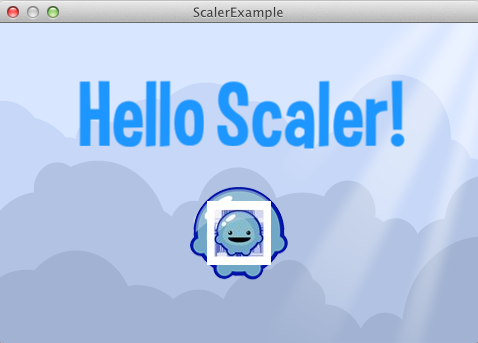
Screenshot
Code
src/ScalerExample.ls
package
{
    import loom.Application;
    import loom2d.display.StageScaleMode;
    import loom2d.display.Image;
    import loom2d.textures.Texture;
    import loom2d.ui.SimpleLabel;
    import loom2d.math.Point;
    import loom.graphics.Texture2D;

    /**
     * Demonstrates the high quality asynchronous image resizing API.
     */
    public class ScalerExample extends Application
    {
        override public function run():void
        {
            // Comment out this line to turn off automatic scaling.
            stage.scaleMode = StageScaleMode.LETTERBOX;

            // Setup anything else, like UI, or game objects.
            var bg = new Image(Texture.fromAsset("assets/bg.png"));
            bg.width = stage.stageWidth;
            bg.height = stage.stageHeight;
            stage.addChild(bg);

            var sprite = new Image(Texture.fromAsset("assets/logo.png"));
            sprite.center();
            sprite.x = stage.stageWidth / 2;
            sprite.y = stage.stageHeight / 2 + 50;
            stage.addChild(sprite);

            var label = new SimpleLabel("assets/Curse-hd.fnt");
            label.text = "Hello Scaler!";
            label.center();
            label.x = stage.stageWidth / 2;
            label.y = stage.stageHeight / 2 - 100;
            stage.addChild(label);

            // Set up the handler for image scaler progress callbacks.
            Texture2D.imageScaleProgress += function(path:String, progress:Number):void
            {
                trace("Rescaling " + path + " " + progress * 100 + "%% done.");

                if(progress == 1.0)
                {
                    var sprite2 = new Image(Texture.fromAsset(path));
                    sprite2.center();
                    sprite2.x = stage.stageWidth / 2;
                    sprite2.y = stage.stageHeight / 2 + 50;
                    stage.addChild(sprite2);
                }
            };

            // Initiate the resize.
            var outPath = Path.getWritablePath() + Path.getFolderDelimiter() + "smaller.jpg";
            Texture2D.scaleImageOnDisk(outPath, "assets/logo.png", 64, 64, true);
        }

        override public function onTick():void
        {
            // We need to call this from time to time; it gets the progress events
            // and fires the callbacks.
            Texture2D.pollScaling();
        }
    }
}