

File Example
Overview
Loom has system.platform.File class which is a platform independant way to access the filesystem on the platform you are running on.
Try It
Use the following Loom CLI commands to run this example:
loom new MyFileExample --example FileExample
cd MyFileExample
loom run
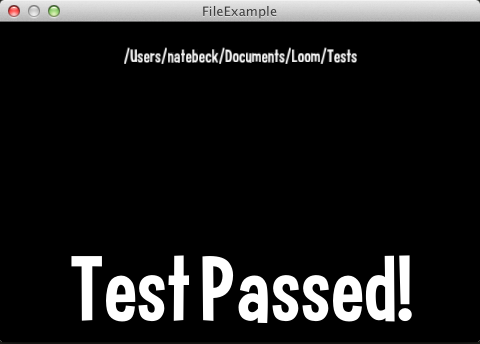
Screenshot
Code
src/FileExample.ls
package
{
    import loom.Application;
    import loom2d.display.StageScaleMode;

    import loom2d.display.Image;
    import loom2d.textures.Texture;

    import loom2d.math.Point;

    import loom2d.ui.SimpleLabel;

    /**
     *  Simple example demonstrating File operations
     */
    public class FileExample extends Application
    {

        // get a writable folder
        var writePath = Path.normalizePath(Path.getWritablePath() + "/Loom/Tests");

        override public function run():void
        {
            stage.scaleMode = StageScaleMode.LETTERBOX;

            var label = new SimpleLabel("assets/Curse-hd.fnt");
            label.text = writePath;
            label.x = stage.stageWidth/2 - (label.size.x/2*.2);
            label.y = 20;
            label.scale = .2;
            stage.addChild(label);

            test();

            var result = new SimpleLabel("assets/Curse-hd.fnt");


            result.y = 200;
            if (failed)
            {
                result.text = "Test Failed!";
            }
            else
            {
                result.text = "Test Passed!";

            }
            result.x = stage.stageWidth/2 - result.size.x/2;

            stage.addChild(result);

        }

        var failed = false;

        function assert(o:Object) {

            if (!o)
                failed = true;

        }

        function writeByteArray(ba:ByteArray):void {

            ba.reserve(1024 * 1024 * 64); // 64k is all you will ever need
            ba.writeInt(10000000);
            ba.writeDouble(1000.2);
            ba.writeString("Lalala");
            ba.writeString("Lalala");
            ba.writeFloat(2000.5);
            ba.writeString("Lalala");
            ba.writeString("Lalala");
            ba.writeUnsignedInt(0xbaadf00d);
            ba.writeBoolean(true);
            ba.writeBoolean(false);
            ba.writeBoolean(true);
            ba.writeByte(-10);
            ba.writeByte(10);
            ba.writeUnsignedByte(255);
            ba.writeUnsignedByte(257); // overflow to 1
            ba.writeShort(-1000);
            ba.writeUnsignedShort(65535);

        }

        function readByteArray(ba:ByteArray):void {

            ba.setPosition(0);
            assert(ba.readInt() == 10000000);
            assert(ba.readDouble() == 1000.2);
            assert(ba.readString() == "Lalala");
            assert(ba.readString() == "Lalala");
            assert(ba.readFloat() == 2000.5);
            assert(ba.readString() == "Lalala");
            assert(ba.readString() == "Lalala");
            assert(ba.readUnsignedInt() == 0xbaadf00d);
            assert(ba.readBoolean() == true);
            assert(ba.readBoolean() == false);
            assert(ba.readBoolean() == true);
            assert(ba.readByte() == -10);
            assert(ba.readByte() == 10);
            assert(ba.readUnsignedByte() == 255);
            assert(ba.readUnsignedByte() == 1);
            assert(ba.readShort() == -1000);
            assert(ba.readUnsignedShort() == 65535);

        }

        function testBinaryFile() {


            var bytes = new ByteArray();

            writeByteArray(bytes);

            var filename = writePath + "/TestBinaryFileIO.bin";

            assert(!File.fileExists(filename));

            File.writeBinaryFile(filename, bytes);

            assert(File.fileExists(filename));

            var readBytes = File.loadBinaryFile(filename);

            readByteArray(readBytes);

        }

        function testTextFile() {

            var textToWrite = "Hello this is some text";

            var filename = writePath + "/TestFileIO.txt";

            assert(!File.fileExists(filename));

            File.writeTextFile(filename, textToWrite);

            assert(File.fileExists(filename));

            var result = File.loadTextFile(filename);

            assert(result == textToWrite);

        }

        function test()
        {

            if (Path.dirExists(writePath))
                Path.removeDir(writePath, true);

            assert(!Path.dirExists(writePath));

            Path.makeDir(writePath);

            assert(Path.dirExists(writePath));

            testTextFile();
            testBinaryFile();

            Path.removeDir(writePath, true);

            assert(!Path.dirExists(writePath));

        }
    }
}